AI SENSE - Think before you prompt
8 QUESTIONS TO ASK BEFORE USING AI IN YOUR MARKETING
AI can write the copy.
Build the presentation.
Analyse the data.
Generate the image.
Summarise the research.
Suggest the strategy.
But should it?
We’re big fans of AI at chicken/egg. We use it every day, experiment with it and have built our own GPTs to help us think, create, analyse and get stuff done.
But when a tool makes something quicker and easier, it’s tempting to start with the tool.
Can AI write this?
Can AI create that?
Can we automate this?
Maybe.
But that’s not the first question.
What does the marketing need to do?
AI isn’t your marketing strategy. It’s a tool you might use to help deliver it.
So before you open ChatGPT, Claude, Gemini or whatever shiny new AI tool has landed in your inbox this week, use a more important tool first.
Your brain.
AI SENSE is our 8-question marketing sense check. It’ll help you work out where AI can genuinely help, where human thinking matters more and whether the work coming out the other end is actually any better.
Grab a coffee. Grab the brief. Then think before you prompt.
1 – WHAT’S THE MARKETING PROBLEM?
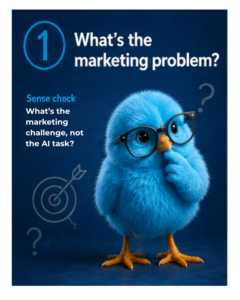 Start with the job, not the tool.
What problem are we trying to solve, or what opportunity are we trying to create?
Are we trying to change a perception? Generate demand? Improve conversion? Retain more customers? Launch something new? Make a better decision?
Ask yourself
- What are we actually trying to achieve?
- What needs to change?
- Why does it matter to the business?
- How will we know if it worked?
- Is AI the best way to help us get there?
Watch out for…
Starting with the tool
AI makes it easy to create more content, more ideas and more activity.
That doesn’t automatically create more value.
Sense check
What’s the marketing challenge, not the AI task?
If you can’t explain the challenge without talking about the tool, you’re probably starting in the wrong place.
2 – WHAT DO WE KNOW ABOUT THE CUSTOMER?
 AI knows a lot.
It doesn’t necessarily know your customer.
Good marketing starts with understanding the people we’re trying to create value for. What they need. What matters to them. What’s getting in their way. Why they choose you, or don’t.
AI can help us explore customer research, interrogate data and spot patterns.
But it shouldn’t invent the customer.
Ask yourself
- Who are we trying to reach or influence?
- What do we actually know about them?
- Where has that knowledge come from?
- Are we working with real insight or assumptions?
- Are we asking AI to analyse customer insight or create it?
Watch out for…
Synthetic certainty.
Ask AI to describe your target customer and it’ll happily give you their motivations, frustrations, buying habits and possibly their preferred brand of oat milk.
Doesn’t make it true.
Sense check
What evidence do we have for what we think we know?
AI can help you interrogate customer insight. It isn’t a replacement for talking to customers.
3 – WHAT JOB SHOULD AI DO?
 AI doesn’t need to do everything. And it probably shouldn’t.
It might help generate ideas, challenge your thinking, analyse information, create a first draft, adapt existing work or take a repetitive job off someone’s plate.
AI might be brilliant for one bit of the job and rubbish for another.
Decide where you actually need it.
Ask yourself
- What exactly do we want AI to help with?
- Where in the process should it get involved?
- What happens before AI?
- What happens after it?
- Is AI actually the best tool for this job?
Watch out for…
Handing over the whole job.
Ask AI to “create our marketing strategy” and you’ll probably get 2,000 beautifully structured words.
That doesn’t mean you’ve got a strategy.
Sense check
Could you brief AI’s role as clearly as you’d brief someone on your team?
If the job is vague, don’t be surprised when the answer is too.
4 – WHERE’S THE HUMAN THINKING?
 AI can give you an answer in seconds.
Knowing whether it’s a good answer is the clever bit.
Someone still needs to understand the business, customer, competition, brand and commercial reality well enough to question what’s coming back.
AI can contribute to the thinking.
It shouldn’t quietly become the thinking.
Ask yourself
- Who owns the decision?
- Does someone with the right experience understand and review the work?
- Are we questioning the output or simply accepting it?
- What have we added from our own experience and knowledge?
- Would we make the same decision if AI hadn’t suggested it?
Watch out for…
Confidence being mistaken for competence.
AI is very good at sounding like it knows what it’s talking about.
Sometimes it does.
Sometimes it’s wearing a tiny imaginary suit and bluffing its way through the meeting.
Sense check
Who’s accountable for the final decision?
Hopefully the answer isn’t ChatGPT.
5 – COULD THIS HAVE COME FROM ANY COMPETITOR?
 AI is very good at producing things that look and sound like things that already exist.
That’s useful.
It’s also how everything starts sounding the same.
Your brand needs to bring the things AI doesn’t have by default: your point of view, personality, experience, stories and distinctive way of seeing the world.
Ask yourself
- Does this sound like us?
- Does it reflect what our brand stands for?
- Is there an actual point of view?
- Have we added examples, experience or ideas that only we could contribute?
- Could a competitor publish this tomorrow with their logo on it?
Watch out for…
Perfectly acceptable beige marketing.
Polished. Professional. Correct.
And completely forgettable.
Sense check
If we removed the logo, would anyone know it was ours?
If a competitor could copy it tomorrow, AI probably hasn’t made your marketing better.
6 – CAN WE TRUST IT?
 AI can be wrong.
Very convincingly wrong.
So when it’s helping with research, analysis, claims, copy, recommendations or decisions, check the bits that matter.
Don’t confuse a confident answer with a correct one.
Ask yourself
- Have we checked the facts?
- Are the figures, quotes and sources real?
- Is the information current?
- Have we challenged the assumptions?
- Could bias affect the answer or the work we’re creating?
Watch out for…
“ChatGPT said…”
AI isn’t a source.
Sense check
Could we show where this information came from?
If it matters enough to publish or make a decision on, it matters enough to check.
7 – WOULD WE BE HAPPY EXPLAINING THIS?
 Would you happily tell the client what you uploaded?
Would you tell a customer how their information was used?
Could you explain where the image, claim or idea came from?
And would you happily put your name against the finished work?
If any of those questions make you shuffle awkwardly in your chair, it’s probably worth looking again.
Ask yourself
- Are we putting confidential business or client information into AI?
- Are we using personal or customer data?
- Do we have the right to use the material we’re giving it?
- Have we thought about ownership, copyright and usage?
- Could the output mislead someone?
- Would we be comfortable explaining exactly how AI was used?
Watch out for…
Copy. Paste. Regret.
Saving 10 minutes isn’t worth damaging client confidence or customer trust.
Sense check
Would you be comfortable putting your name to it?
If not, find out why before you carry on.
8 – DID AI MAKE THE MARKETING BETTER?
 AI can make things quicker.
Great.
It can make things cheaper.
Also great.
Maybe it saved you 3 hours. Maybe it helped you spot something you’d missed. Maybe it gave you 20 ideas and one of them was brilliant. Maybe the work performed better.
But AI always comes with a trade-off.
What did we gain?
And what might we have lost?
Speed at the expense of originality?
More personalisation but less humanity?
50 ideas and another hour deciding which one is any good?
The goal isn’t to use more AI.
It’s to make better marketing.
Ask yourself
- What got better because AI was involved?
- Did it save meaningful time or money?
- Did it improve the quality of the work?
- Did it help us make a better decision?
- Did it create more value for the customer?
- Did it help Brand, Demand or Expand?
- What might we have lost along the way?
Watch out for…
Mistaking more for better.
50 posts instead of 10.
20 concepts instead of 3.
A week’s work completed in an afternoon.
Brilliant.
But did any of it work?
Sense check
What got better because AI was involved?
If the only answer is “we made more stuff”, keep digging.
THE BEST PROMPT …
…starts long before you open ChatGPT.
AI will keep changing.
New models.
New tools.
New ways of working.
But the fundamentals of good marketing haven’t.
It still starts with understanding people.
Solving real problems.
Making good decisions.
AI can help you do all of those things.
Just don’t hand over the bit that makes you a marketer.
Your judgement.